
I'm often asked which of these two platforms to choose when redesigning a website.
The answer depends on what the site is for. I've built and maintained both since 2016 — first at Harva Marketing (now WaveCrest), where we were a HubSpot partner agency that still shipped a lot of WordPress sites, and now through Cultmetrics. Being a HubSpot partner never made WordPress the wrong answer; it just made the trade-off clearer.
Here is how the two actually differ, feature by feature, and what each one really costs.
The short version
WordPress is a flexible, open-source CMS that does very little out of the box and can be extended to do almost anything. You assemble the stack yourself, and you own the consequences — hosting, updates, plugin conflicts, security.
HubSpot is an integrated customer platform where the website is one module alongside CRM, email, automation and service. Far less flexible, far less to maintain, and everything shares one contact database.
If your site exists to generate and nurture sales leads, HubSpot's integration is worth paying for. If it's a brochure, a publication, or a shop, WordPress almost always wins on cost and flexibility.
WordPress
WordPress is the most popular CMS in the world, powering over 40% of all websites. It started as a blogging platform, and its open-source, plugin-driven architecture is why it now runs everything from personal blogs to large e-commerce stores.
That same flexibility is its weakness.
At its core WordPress is still a fairly simple blog CMS. Almost every feature you'd expect a business site to have arrives either through your theme or through a plugin:
- Forms
- SEO tooling
- Multilingual support
- Any kind of CRM or contact database
Every plugin is another piece of third-party software running inside your site. Plugins slow pages down, they conflict with each other, and they are by a wide margin the most common source of WordPress security vulnerabilities — far more than WordPress core itself. Choosing plugins carefully, and keeping the number of them low, is most of what WordPress maintenance actually is.
HubSpot
HubSpot was built as a marketing automation system for inbound marketing. It has a long history as a blogging platform, but it always shipped with the other tools content marketing needs around it.
Today it's a single ecosystem spanning sales, marketing and customer service, extended through ready-made integrations in the HubSpot marketplace. The website side — now called Content Hub, previously CMS Hub — is available on its own, which is what makes it a genuine WordPress alternative rather than just a CRM with pages attached.
Content Hub includes, as standard:
- Form tool
- Call-to-action tool
- SEO tooling
- Modular drag-and-drop editor
- Smart (personalised) content
- The free CRM
- Staging environment
- HubDB database
The limitation is the back end: you cannot modify it the way you can edit the PHP running WordPress. HubSpot does expose an open API for pulling in data from other systems, and templates and modules are built in its own HubL templating language, which gives you a lot of freedom over markup and front-end behaviour — just not over the platform underneath.
Feature comparison
Themes
Both platforms use themes to control how the site looks and behaves.
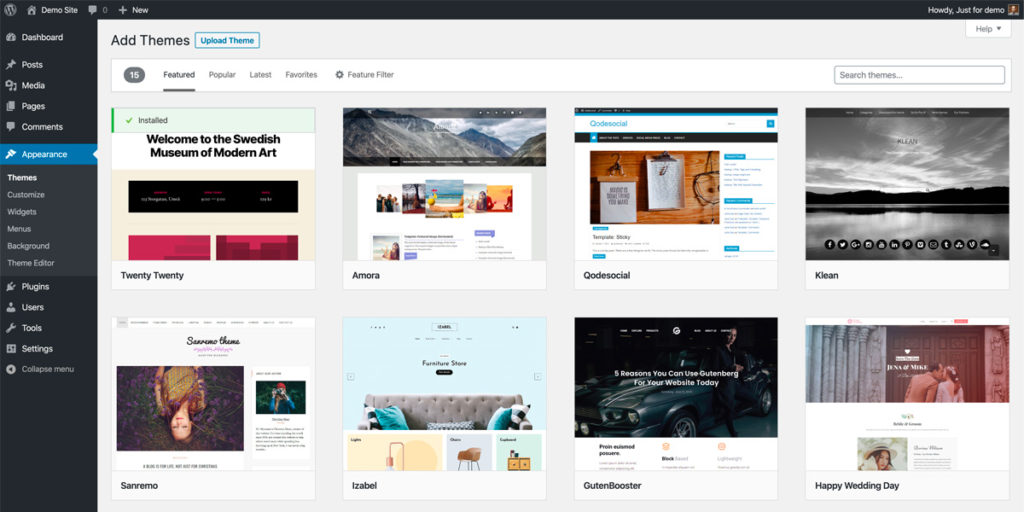
WordPress themes can be browsed and installed straight from the admin panel. There are enormous numbers of ready-made ones, and you can also have a theme built to match your brand exactly. If the budget is tight and you'll accept some compromises, a premium theme is often fine — ThemeForest is the largest marketplace, with themes typically around $50.
The other route is a page builder sold on a licence, which replaces the WordPress page editor entirely. I've used Divi a great deal; if you go that way, loading your own brand fonts into Divi is one of the first things you'll want to sort out.
Choose a pre-built theme carefully — you become dependent on its developer continuing to ship updates.
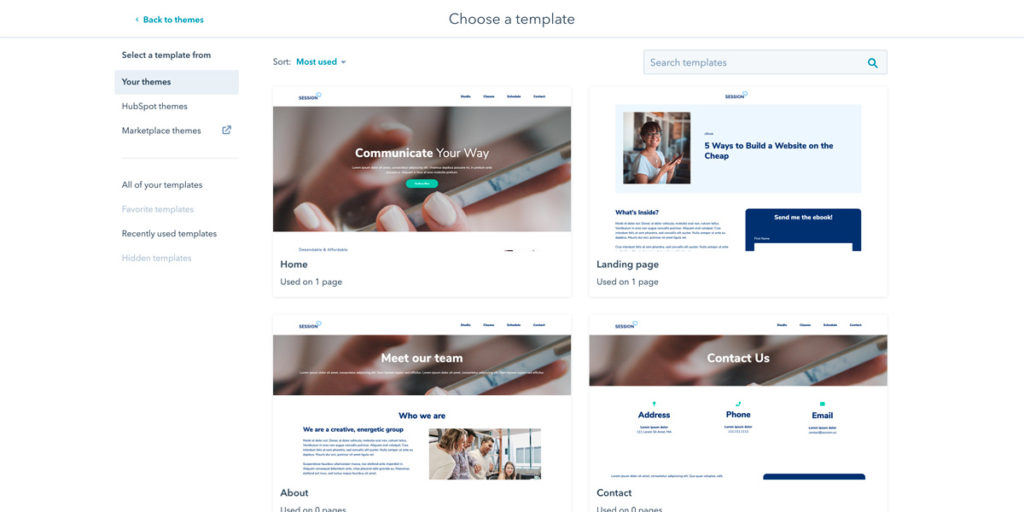
HubSpot's sales motion is built heavily around its partner model, where agencies build their service offering on top of the platform, so most HubSpot sites are built and maintained by partner agencies. But anyone can deploy Content Hub themselves: it ships with a few free themes that customise easily, and there's a marketplace for paid ones, exactly as with WordPress.
Page editor
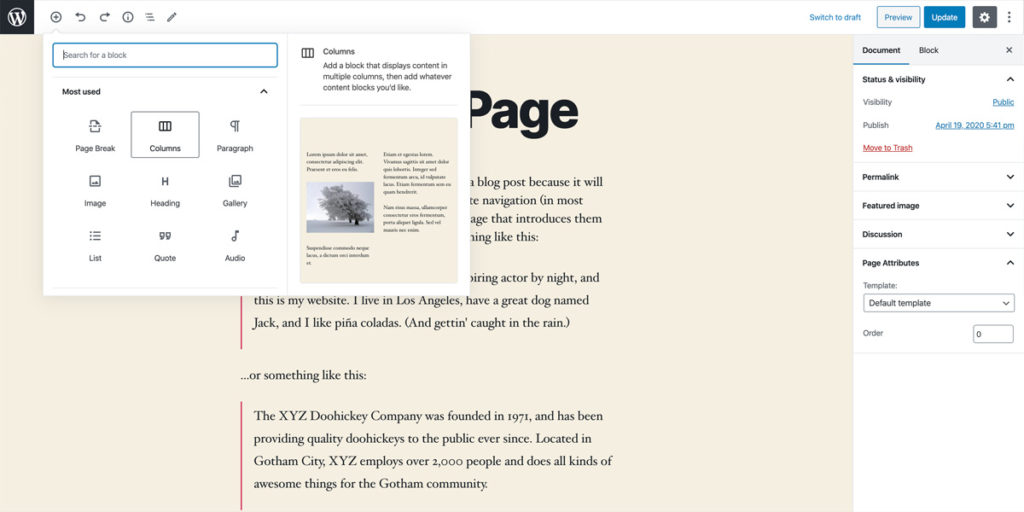
WordPress's block-based Gutenberg editor is genuinely pleasant to use and handles fairly complex multi-column layouts. Building your own custom blocks takes real development skill, but plenty of plugins add ready-made ones.
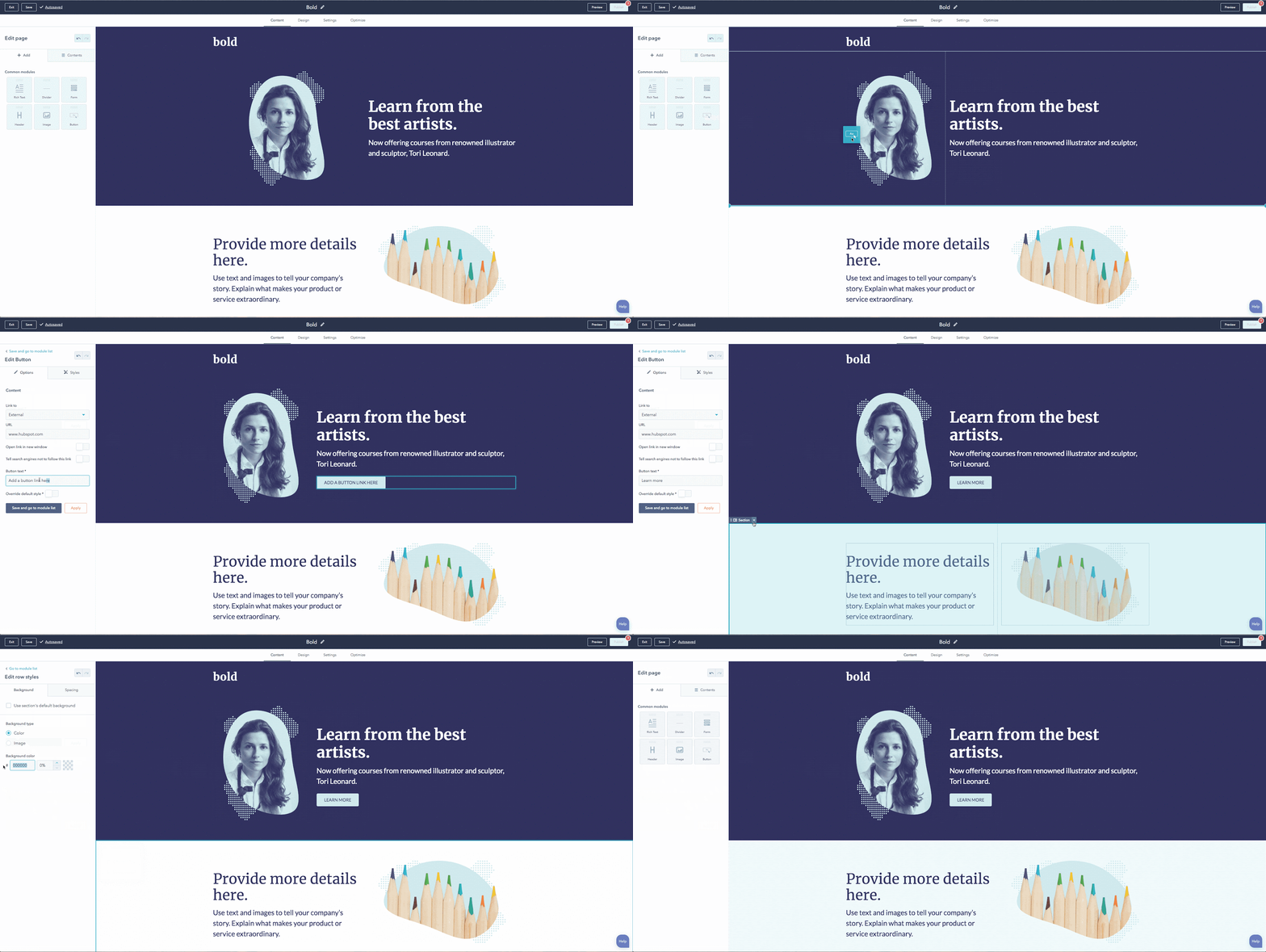
HubSpot's editor is also module-based and easier still. It's more visual than the WordPress editor — it shows the whole page layout rather than just the editable content area — and building custom modules yourself is considerably simpler.
This difference matters more than it sounds. The deciding factor in whether a marketing team actually keeps a site updated is usually how confident non-technical people feel editing it, and HubSpot wins that comparison consistently.
Blogging
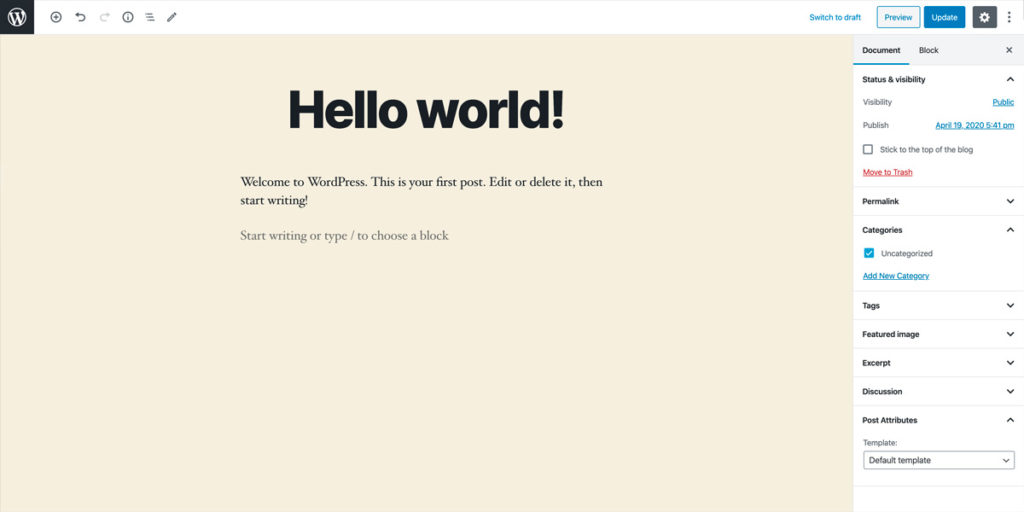
In WordPress, all posts live under a single menu and are organised with categories and tags. The editing experience is nearly identical to the page editor, with a few extra options.
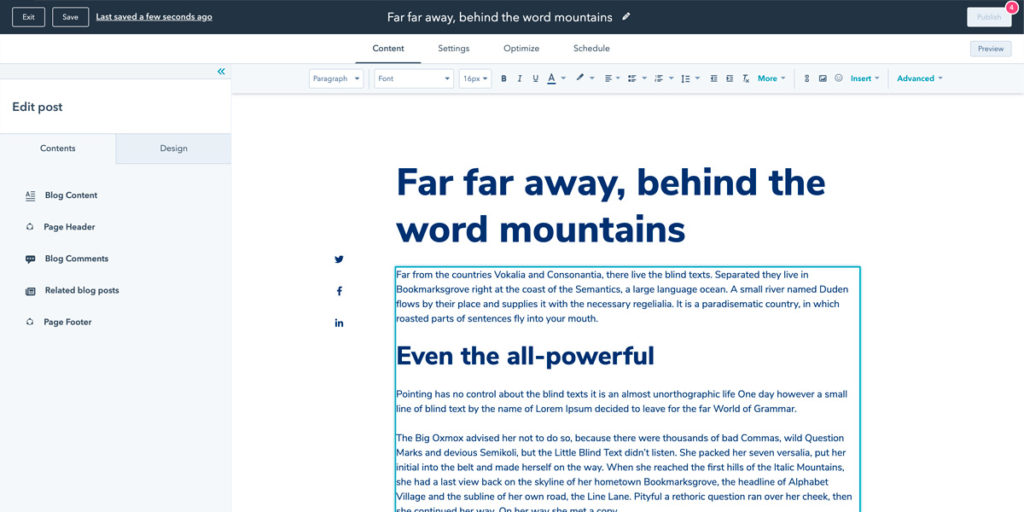
In HubSpot you can run multiple separate blogs, each with its own post and listing templates. Press releases and customer case studies work well as their own blogs, since they usually want a different layout and listing style from ordinary articles.
The blog editor itself is deliberately more restrained than the page editor — typically a title and one content field — with all the usual formatting tools plus embedded video, CTAs and third-party embed codes.
Other content types
In WordPress, custom post types are possible but need either code or a plugin.
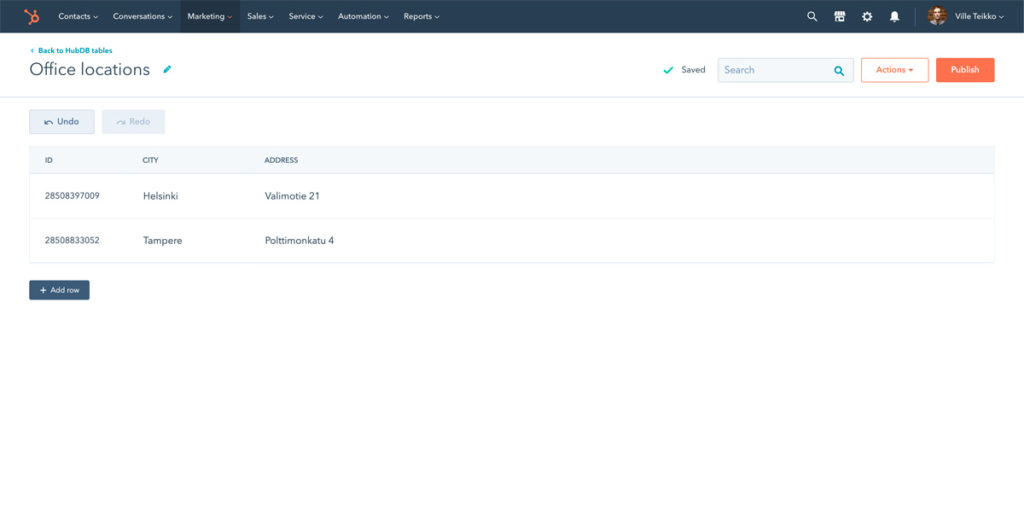
HubSpot's HubDB is a simple database where you create your own tables and generate dynamic pages from them — a small product catalogue, an office location listing, a directory. On the Enterprise tier this extends into custom objects, which let you model essentially any business data inside the CRM itself.
SEO tools
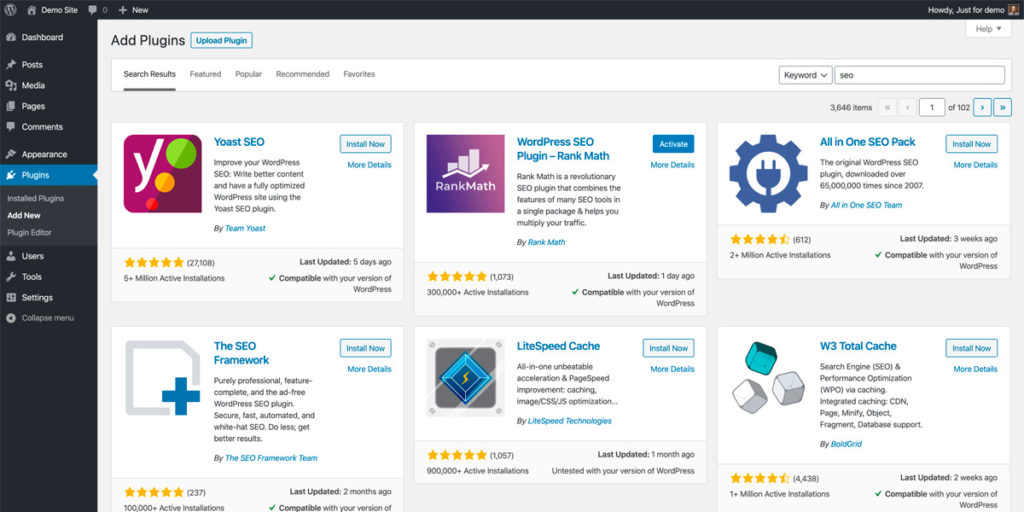
WordPress ships with no SEO tooling at all, but several plugins fill the gap well. I use Rank Math, alongside a writing assistant that gives keyword-specific suggestions — related terms worth covering, and how long the text should be relative to the pages you're competing with.
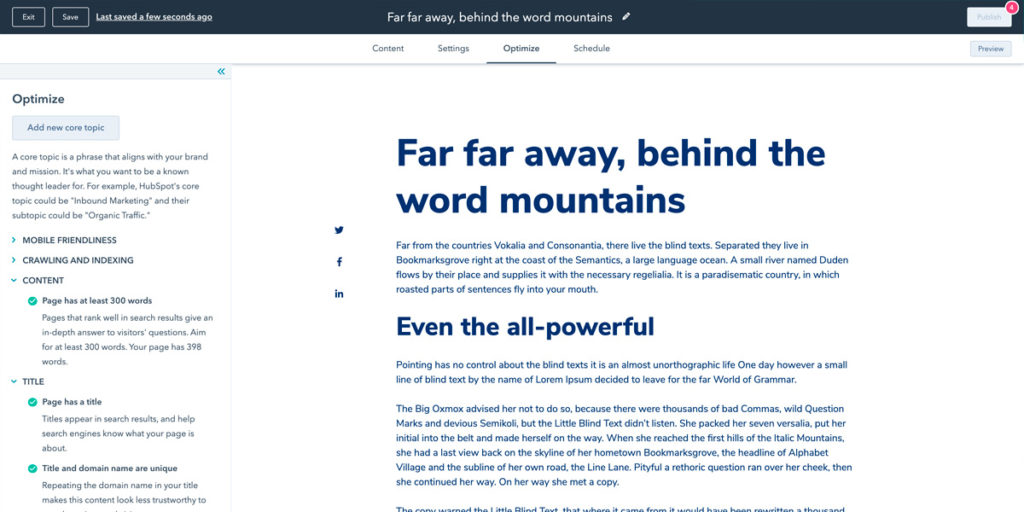
HubSpot's SEO tool works differently from a WordPress plugin. Beyond general on-page tips, it helps you plan and group content into topic clusters, surfaces related search terms and shows their search volumes — so you can do a reasonable amount of keyword research without leaving the platform. After publishing, it reports which terms are actually driving traffic and where you rank.
Forms
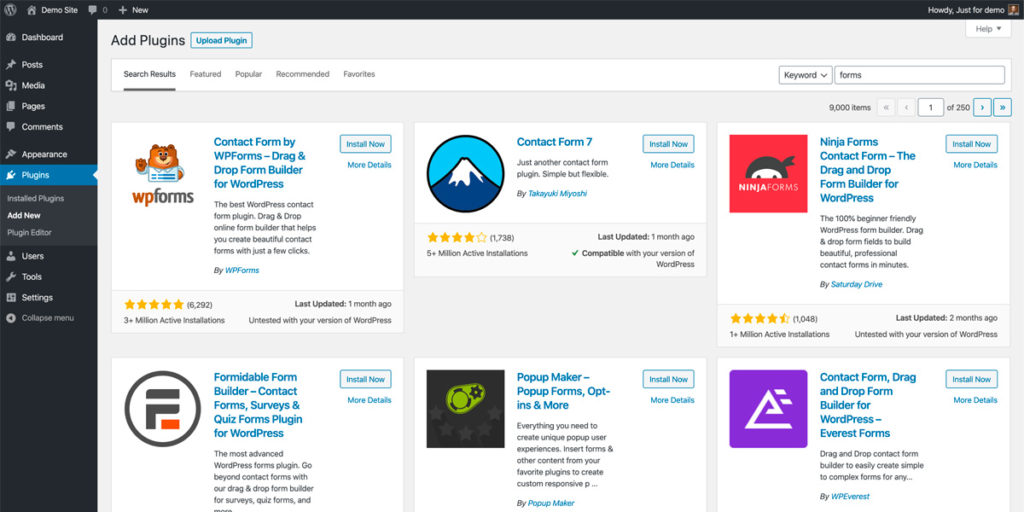
WordPress has no form editor. Plugins are available and generally free, though integrations and advanced features usually mean upgrading to a paid tier. To collect email leads you'll need a separate email platform anyway, and most of them offer embeddable forms.
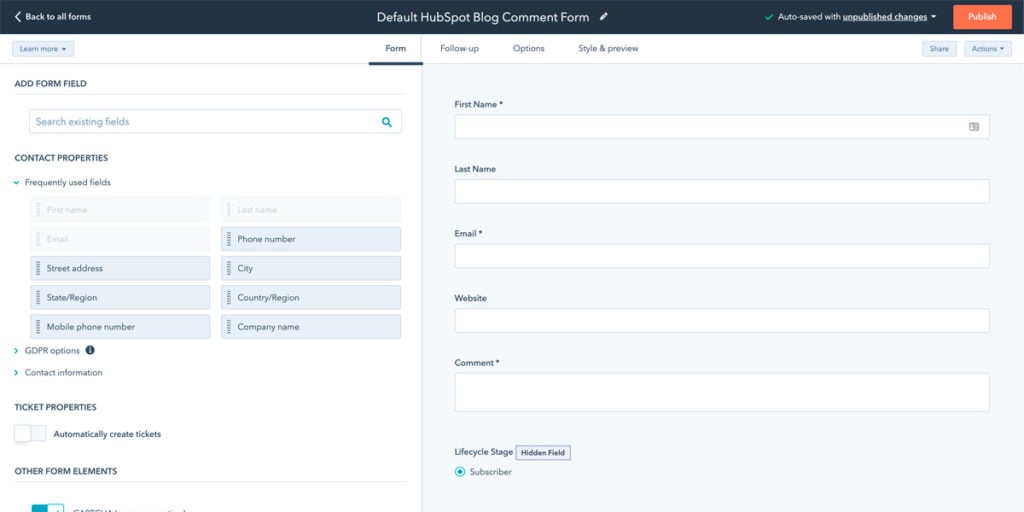
HubSpot includes a form editor where submissions land directly in the contact database, with instant email notifications. Forms can trigger automated follow-ups — delivering a downloadable guide, or something considerably more elaborate depending on your Marketing Hub tier — and a submission can be turned into a customer service ticket. If you want a form to open from a link or button rather than sit in the page, triggering a HubSpot pop-up form from a button takes a few lines of code.
Calls to action
WordPress has no specific feature for this. You can add a button or a banner image and link it wherever you like, but there's no analytics attached unless you build the tracking yourself.
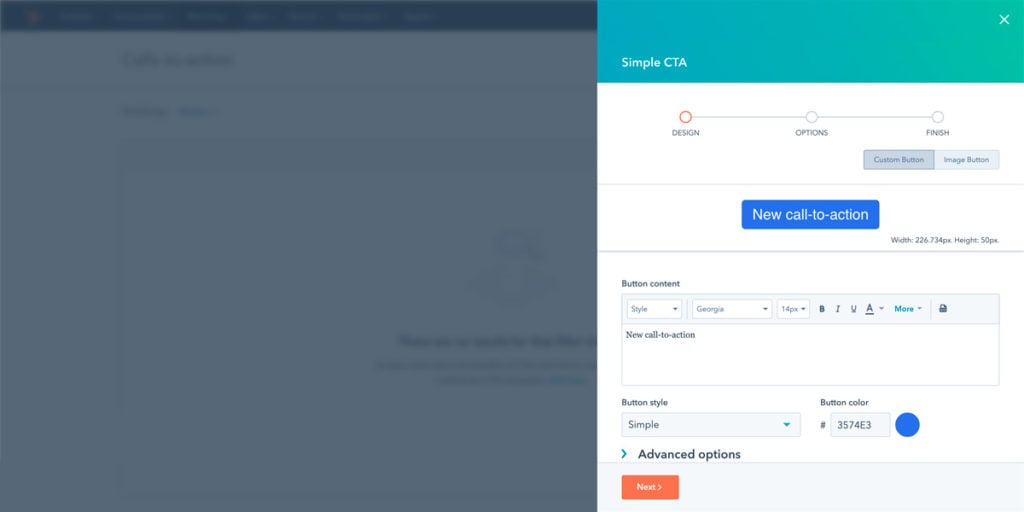
HubSpot has a dedicated CTA tool for buttons and banners pointing at your landing pages, with stats available either in the tool itself or in the analytics for the page the CTA is embedded in.
Smart content
In WordPress this isn't possible without add-ons.
In HubSpot, the website and the contact database sit on the same platform, so content can be personalised per audience — an existing customer can be shown something different from a first-time visitor, and content can also vary by location and device.
Email marketing
WordPress includes no email tool, though most email platforms ship a WordPress plugin that makes lead capture and automation reasonably straightforward.
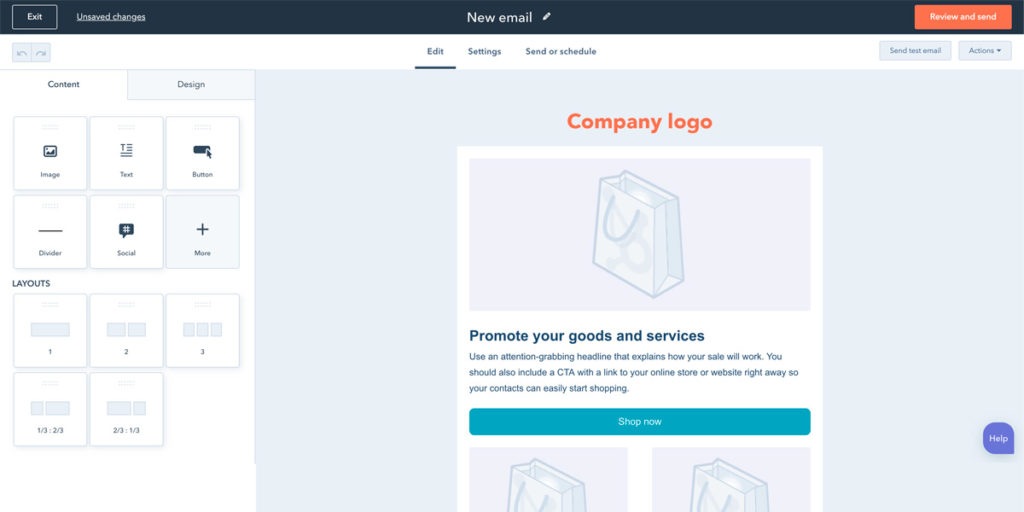
HubSpot includes one, so delivering a lead magnet from a landing page is trivial to set up. Newsletters go out from the same platform, and lists can be segmented on website behaviour.
Staging environment
HubSpot provides a separate environment for editing and testing pages before they go live. Theme development happens inside the tool, but developers who want version control and their own tooling can run a local development environment.
WordPress has nothing equivalent built in. Most hosts allow a second installation for development, but moving an individual page between environments is nowhere near as simple as in HubSpot.
CRM and sales tools
WordPress has no contact database. Most CRMs can be integrated to some degree.
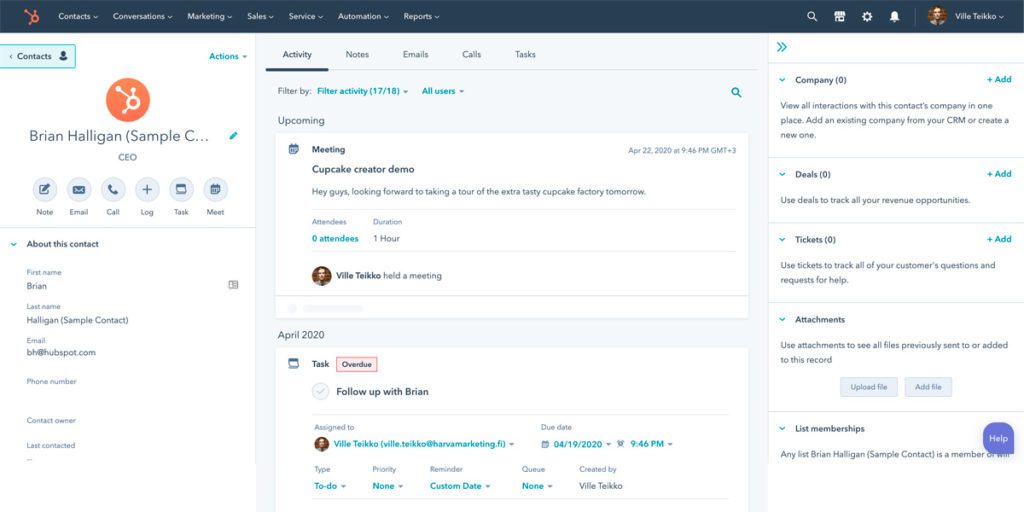
The free CRM sits underneath everything HubSpot does. Once a visitor is a known contact, their page views appear on their timeline alongside every other interaction — which is the entire argument for the platform. You can follow a lead from the ad that produced it to the deal that closed, without stitching four tools together.
This is the difference that's hardest to replicate on WordPress. You can integrate a CRM, but you're then maintaining the integration, and attribution tends to break quietly at the seams.
Chat and customer service
WordPress has none of this as standard, though chat services and ticketing tools can be integrated.
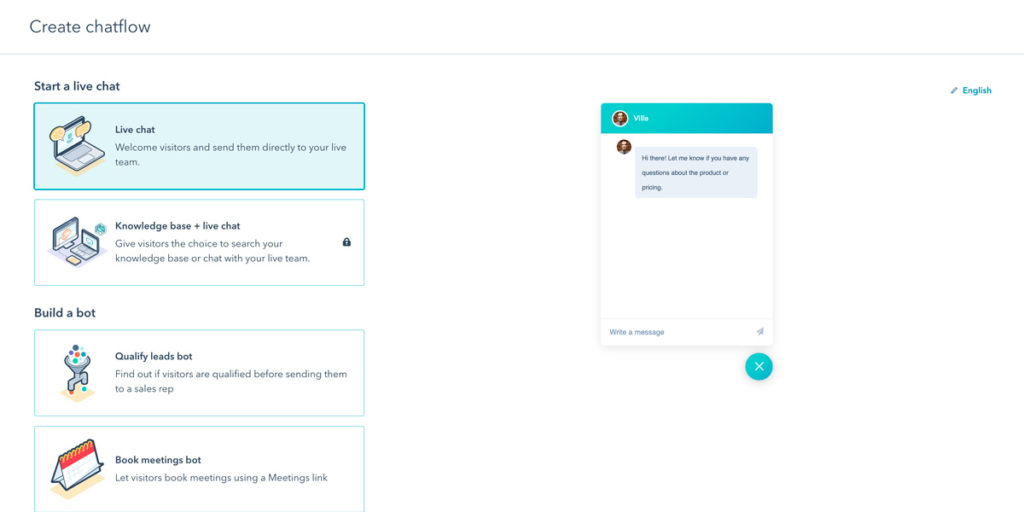
HubSpot's conversations tool brings live chat and chatbots to the site, with a ticketing tool that form submissions and chats can route into. You aren't locked in — other services work fine, and some integrate fully with the contact database. If you're using HubSpot's own, embedding the chatbot inside a specific page rather than as a floating widget is a small code change.
Security and SSL
HubSpot issues and renews SSL certificates automatically for every site on the platform, and the platform itself is patched by HubSpot. There is no plugin surface to attack.
WordPress sites need SSL configured through the host — trivial on any decent managed host, less so on cheap shared hosting — and, more importantly, need someone responsible for keeping core, themes and plugins current. Unpatched plugins are how the overwhelming majority of WordPress sites get compromised. This is not an argument against WordPress; it's an argument for budgeting the maintenance rather than pretending it's free.
Scalability and performance
WordPress performance depends almost entirely on decisions you make: hosting quality, theme weight, plugin count, caching. A well-built WordPress site on good hosting is very fast. A plugin-heavy one on cheap hosting is not, and fixing it later is expensive.
HubSpot runs on its own infrastructure with a CDN included, so performance is consistent without you doing anything. The ceiling is lower — you can't optimise your way past the platform — but so is the floor.
Community and support
WordPress has an enormous community. Whatever your problem is, someone has documented it, and the answer is a search away. What you don't get is anyone accountable for fixing it.
HubSpot offers direct customer support on paid tiers plus HubSpot Academy for training. The community is smaller, but when something breaks there is a company obliged to help.
What each one actually costs
Both platforms scale in price with what you ask of them. WordPress is free and the surrounding costs are real; HubSpot's list price is transparent and the total is easy to underestimate.
The real cost of WordPress
Hosting matters more than people expect — WordPress needs an environment tuned for it. A personal blog runs fine on a few euros a month. A business site should be on proper managed WordPress hosting; in Finland, WP-Palvelu starts around 30 €/month including basic maintenance and updates.
Then budget for maintenance work. Depending on how many plugins and how custom the theme is, a few hours a month — roughly 200–300 €/month — is a realistic figure. That's what covers plugin conflicts, core updates and the occasional breakage. Skipping it doesn't remove the cost; it defers it into a larger emergency later.
Add any premium theme or plugin licences on top.
What HubSpot costs
HubSpot moved to a seats-and-credits model, so the price is now built from four parts: how many people need access and at what permission level, how much AI usage you consume, which edition you're on, and how many marketing contacts you actively target.
The figures below are in euros, checked from HubSpot in August 2026:
| Tier | Price/month | Includes | Credits | Marketing contacts | Onboarding |
|---|---|---|---|---|---|
| Free | 0 € | 2 users, CRM + basic tools | – | – | – |
| Starter | from 7 €/seat | Basic tools | 500 | 1,000 | – |
| Professional | 792 € | 3 Core Seats (+45 €/seat) | 3,000 | 2,000 | 2,930 € |
| Enterprise | 3,300 € | 5 Core Seats (+75 €/seat), custom objects | 5,000 | 10,000 | 6,830 € |
Individual seats can also be bought outside an edition: a Core Seat is around 54 €/month and a Front Office Seat — sales and service tooling on top of Core — around 108 €/month. Credits run about 9 € per 1,000 on an annual plan.
Three things catch people out. The jump from Starter to Professional is steep, and a lot of the genuinely useful automation lives on the Professional side of it. Professional and Enterprise carry a mandatory one-off onboarding fee, which is easy to miss when drafting a first budget. And credits are consumption-based, so the monthly total is no longer perfectly predictable — HubSpot's own calculator suggested roughly 270 €/month in credits for a 2,000-contact scenario, more than three Core Seats combined.
I've written a full breakdown of HubSpot's pricing in Finnish, including how to estimate your own number.
Note also that contacts you merely store are free — up to millions of them. Only contacts you actively market to count as marketing contacts. That makes HubSpot's economics work well for B2B companies with long sales cycles and high deal values, and work badly if you're selling cheap products to a very large list.
Which one is right for you?
Choose HubSpot if the website exists to generate sales leads or serve existing customers, and you want the website, CRM, email and reporting to be one system rather than four integrated ones. The value isn't any single feature — it's that attribution actually works, and that your marketing team can operate the whole thing without a developer.
Choose WordPress if the site is primarily informational or brand-facing, if you need e-commerce, or if you need custom development that a closed platform won't allow. It's also the obvious choice for anyone whose site doesn't have a clear commercial value per lead, since HubSpot's pricing assumes there is one.
Two constraints worth knowing before you decide: HubSpot is not the tool for building e-commerce or complex custom software, and WordPress's real cost is maintenance you must actually budget for. Most bad platform decisions I've seen came from ignoring one of those two.
Separately from the platform choice, plan how you'll measure any of it — third-party cookies are effectively gone, and both platforms need a deliberate answer to that now rather than an assumption that analytics will keep working the way it used to.

Ville Teikko
Ville Teikko is an award-winning creative and digital marketing specialist with nearly 30 years of experience in digital design and advertising. He runs Cultmetrics, a marketing technology consultancy, and is a partner in WaveCrest Holding, where he works as an independent consultant.